Force powder
This tutorial demonstrate how a single crystal dataset can be converted to a powder dataset and plotted and exported.
 1from DMCpy import DataSet,_tools
 2import matplotlib.pyplot as plt
 3# Give file number and folder the file is stored in.
 4scanNumbers = '12105-12106'
 5folder = 'data/SC'
 6year = 2022
 7
 8filePath = _tools.fileListGenerator(scanNumbers,folder,year=year)
 9
10# load data files and make data set
11ds = DataSet.DataSet(filePath,forcePowder=True)
12
13ax,bins,Int,Int_err,monitor = ds.plotTwoTheta()
14planeFigName = 'docs/Tutorials/forecePowder'
15plt.savefig('figure0.png',format='png')
16
17# Export to an dat and xye file
18ds.export_PSI_format(outFile='force_powder.dat',outFolder='docs/Tutorials')
19ds.export_xye_format(outFile='force_powder.xye',outFolder='docs/Tutorials')
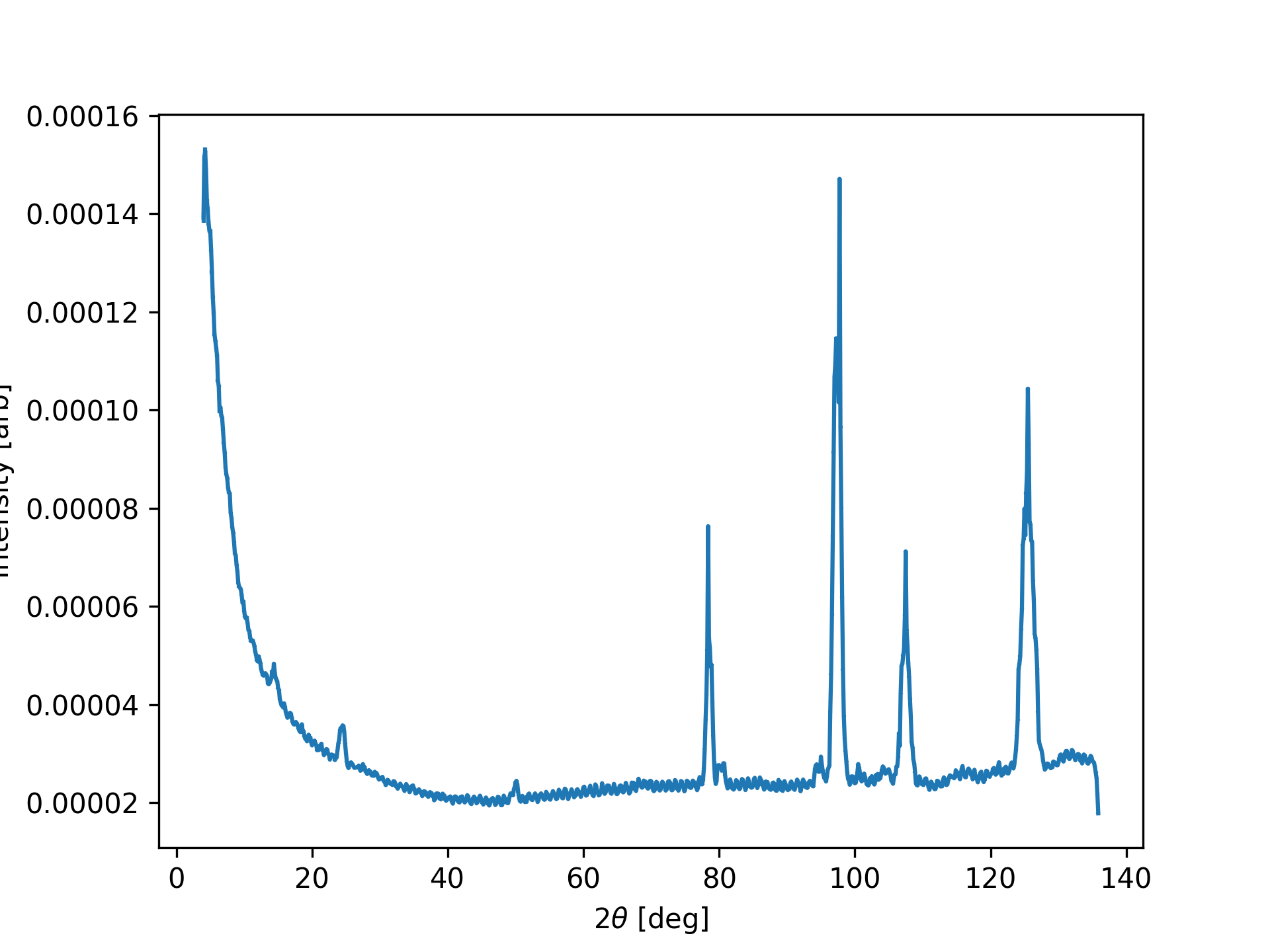
The above code takes a single crystal data file and converts it into a powder file. This means that all A3 are merged. Note that we do not load the datafiles first into DataFiles, but they are loaded directly into a DataSet.
Diffraction pattern from single crystal data.