Viewer 3D align
To generate a UB matirx, it is convinient to use the 3D Viewer. We recommend to use the alignToRefs function. By running 3D Viewer with rlu=False, you can read of the coordinates of two reflections in Q-space. These coordinates and the corresponding HKL will then be used for making a UB. You can change the orientation of the 3D Viewer by pressing 0, 1 and 2. When apropriate Q-coordinates are identified, they can be used to align and plot the data in HKL, as showed in the code below.
 1from DMCpy import DataSet,DataFile,_tools
 2import numpy as np
 3
 4# Give file number and folder the file is stored in.
 5scanNumbers = '12153-12154'
 6folder = 'data/SC'
 7year = 2022
 8
 9filePath = _tools.fileListGenerator(scanNumbers,folder,year=year)
10
11unitCell = np.array([ 7.218, 7.218, 18.183, 90.0, 90.0, 120.0])
12
13# # # load dataFiles
14dataFiles = [DataFile.loadDataFile(dFP,unitCell = unitCell) for dFP in filePath]
15
16# load data files and make data set
17ds = DataSet.DataSet(dataFiles)
18
19# Define Q coordinates and HKL for the coordinates.
20q1 = [-0.447,-0.914,-0.003]
21q2 = [-1.02,-0.067,-0.02]
22HKL1 = [1,0,0]
23HKL2 = [0,1,0]
24
25# this function uses two coordinates in Q space and align them to corrdinates in HKL space
26ds.alignToRefs(q1=q1,q2=q2,HKL1=HKL1,HKL2=HKL2)
27
28Viewer = ds.Viewer3D(0.01,0.01,0.02,rlu=True)
29
30# Set the color bar limits to 0 and 0.001
31Viewer.set_clim(0,0.001)
32
33# Find the number of steps and set viewer to middel value
34# This can also be done interactively in the viewer by pressing up or down,
35# or by scrolling the mouse wheel or clicking the sliding bar.
36zSteps = Viewer.Z.shape[-1]
37Viewer.setPlane(int(zSteps/2)-1)
38
39fig = Viewer.ax.get_figure()
40fig.savefig('figure0.png',format='png')
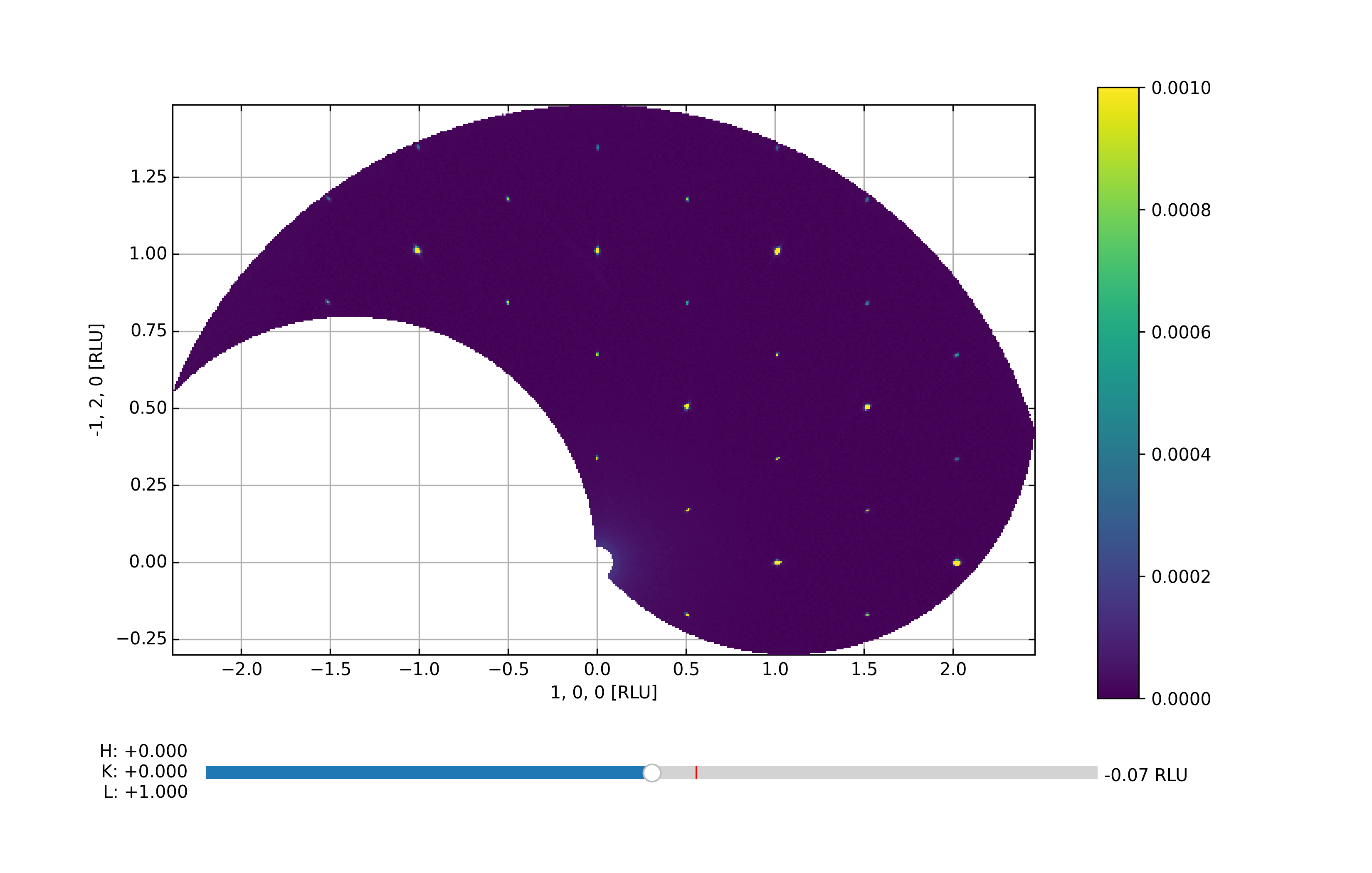
The above code takes the data from the A3 scan files 12153-12154 from 2022 and generates the Viewer 3D utilizing a voxel size of 0.01 x 0.01 x 0.01 in Q-space, and plot the data in HKL space. By default, the viewer starts out in projection 2, i.e. with Qz being the axis stepped through. The end results are shown below:
First data overview the HK0-plane